Guild Wars 2 Korean Patch
Korean Patch
The GW2 Korean patch replaces in-game text with Korean translations.
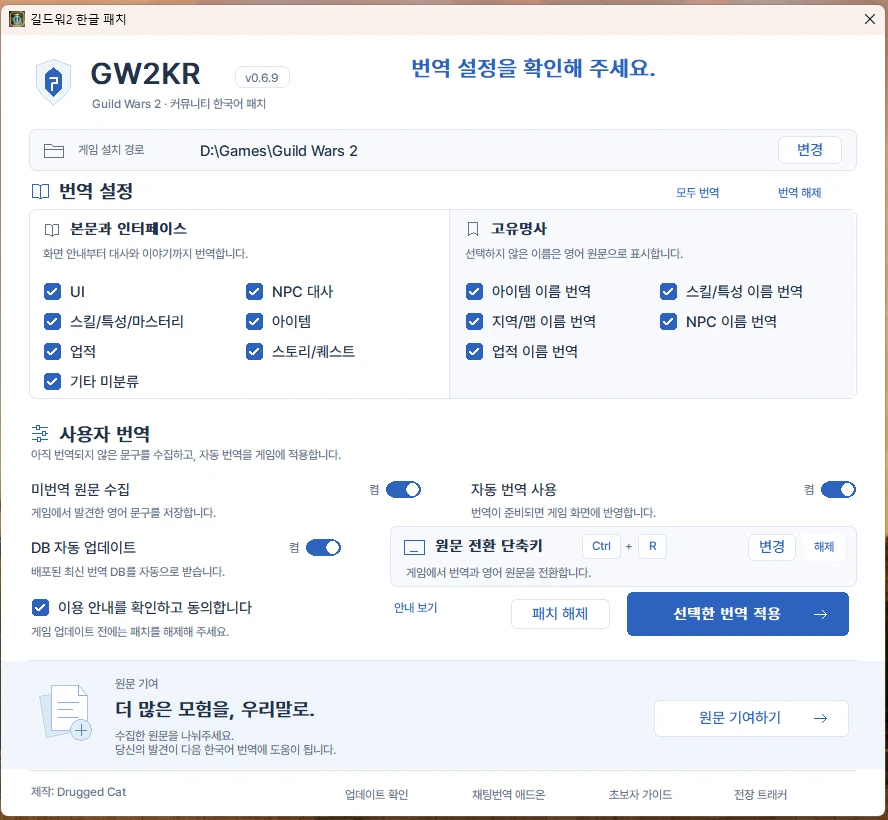
Korean patch overview
- Core translations: UI, NPC dialogue, skills, traits, and masteries
- Additional translations: items, achievements, story, quests, and uncategorized text
- Custom translations: collect new text and use an automatically translated local database
- Advanced options: translate proper nouns, item names, skill and trait names, areas, maps, NPC names, and achievement names
Recommended settings
Enable custom database collection and translation.
- New players: enable all translations, or leave item names untranslated.
- Returning players and English wiki users: enable all categories, then disable proper noun translation.
- Adjust the remaining settings to your preference.
Your custom database carries over between versions as long as you keep the Korean folder.
What does custom database collection do?
It collects untranslated English text encountered during play and translates it in the background. According to the developer, the text on screen changes to Korean after about 1–2 seconds.
With custom database collection and translation enabled, newly encountered English NPC dialogue and object descriptions can also be translated on screen.
Screenshots
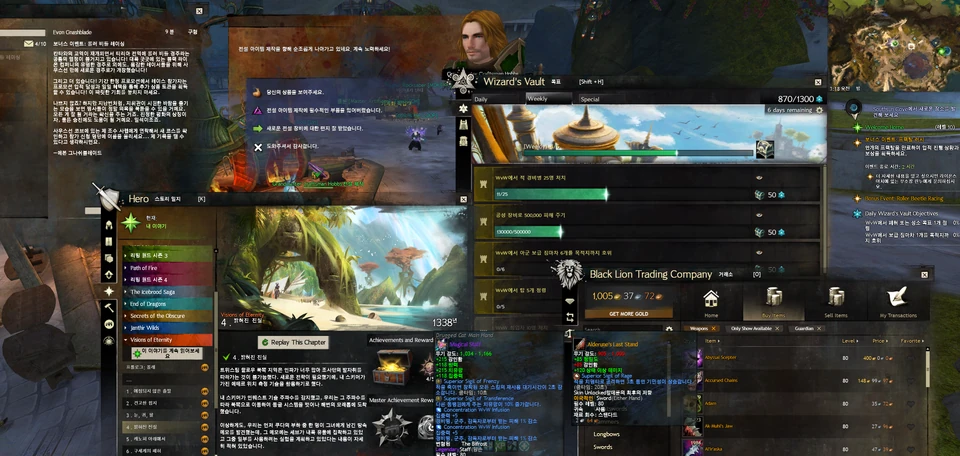
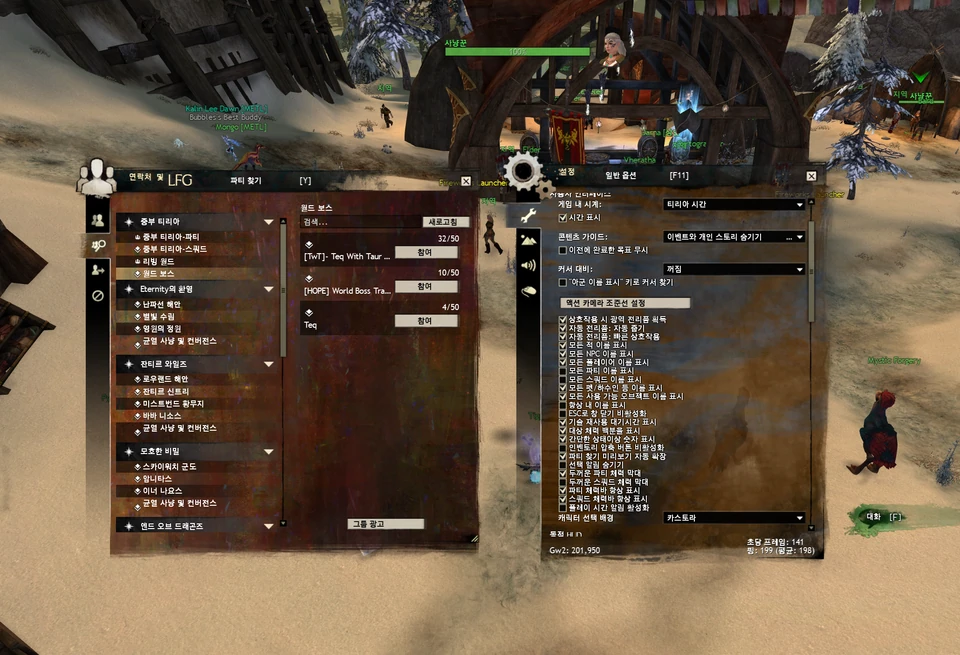
Before you use it
Remove the Korean patch before updating GW2, then reapply it after the game update finishes.
Leaving the patch applied during a game update can cause the download to stall.
- If problems occur, clear all options in the patcher and apply the changes to remove the patch.
- This is not a complete localization. Translations may be inaccurate, inconsistent, or awkward.
- You are responsible for issues encountered while using it.
- Use it only if you accept these conditions.
Download
Get the latest executable from Releases.
Based on
This patch is based on nourlie/gw2-cyrillic.
Refer to that project for the underlying method used to localize GW2.